@Vivek-GuptaXCode
SMS CHATBOT
[
Example
- Start the Flask server with
python main.py(orpython3 main.py). - In a second terminal run
ngrok http 5000and copy the forwarding URL. - Paste the ngrok URL into your Twilio phone number's "A Message Comes In" webhook field.
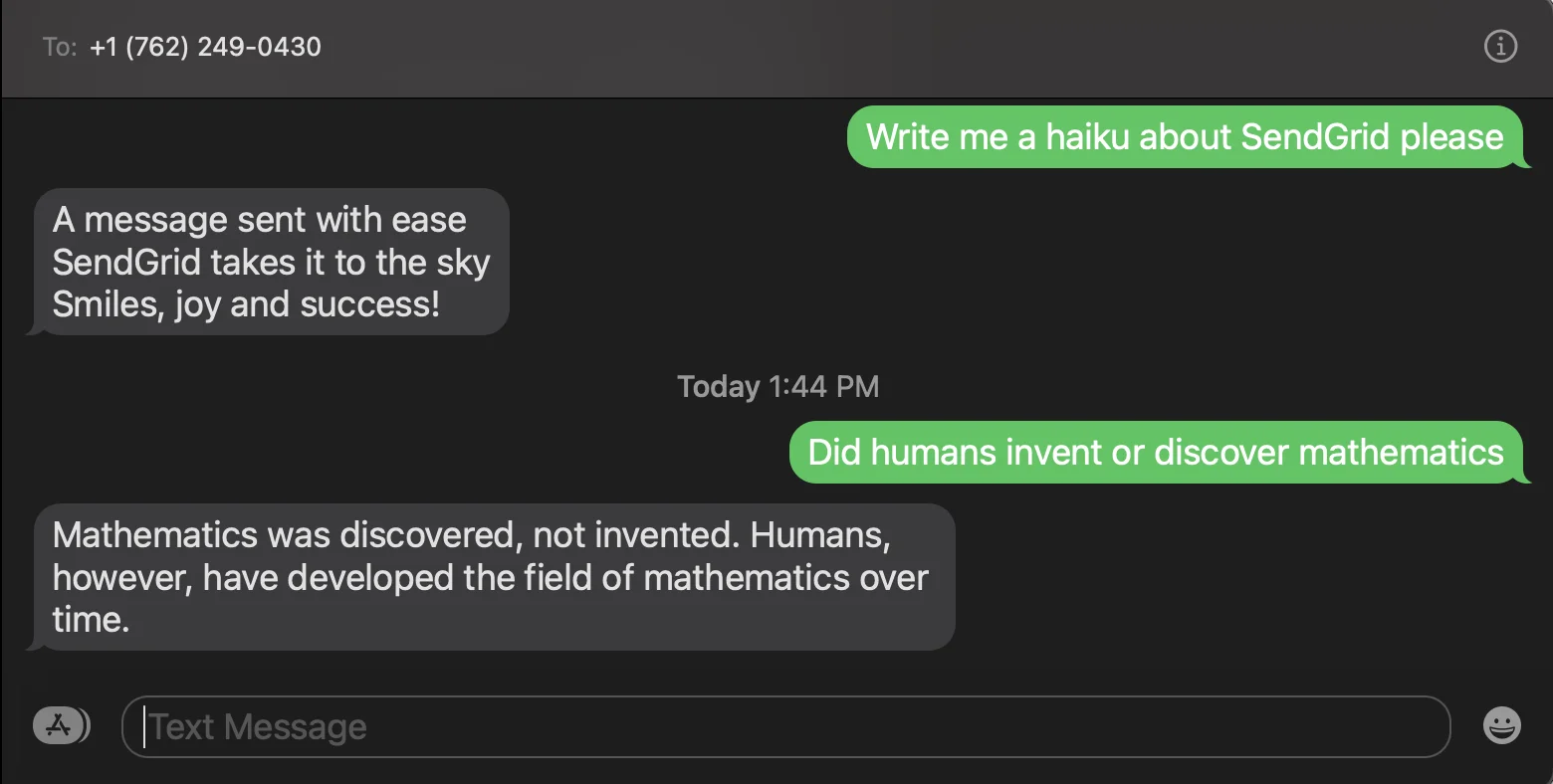
- Text your Twilio number from your phone — for example:
What is the capital of France? - The server receives the SMS, forwards the text to OpenAI's API, and replies via Twilio with the generated answer (e.g.
The capital of France is Paris.).
PREREQUISITIES
- A Twilio account - sign up for a free one here - https://www.twilio.com/try-twilio
- A Twilio phone number with SMS capabilities - learn how to buy a Twilio Phone Number here - https://support.twilio.com/hc/en-us/articles/223135247-How-to-Search-for-and-Buy-a-Twilio-Phone-Number-from-Console
- OpenAI Account – make an OpenAI Account here - https://openai.com/api/
- Python installed - download Python here - https://www.python.org/downloads/
- ngrok - https://ngrok.com/download , a handy utility to connect the development version of our Python application running on your machine to a public URL that Twilio can access. This is needed for the development version of the application because your computer is likely behind a router or firewall, so it isn’t directly reachable on the Internet.
GETTING STARTED
Since you will be installing some Python packages for this project, you will need to make a new project directory and a virtual environment.
If you're using a Unix or macOS system, open a terminal and enter the following commands:
mkdir chatgpt-sms-python
cd chatgpt-sms-python
python3 -m venv venv
source venv/bin/activate
pip install openai twilio flask python-dotenv
If you're following this tutorial on Windows, enter the following commands in a command prompt window:
mkdir chatgpt-sms-python
cd chatgpt-sms-python
python -m venv venv
venv\Scripts\activate
Clone this repository to your local machine.
git clone https://github.com/<your-username>/python-beginner-projects.git
Navigate to the project directory.
cd projects/SMS_chatBot/
Open your terminal there and use this command.
pip install openai twilio flask python-dotenv
The last command uses pip, the Python package installer, to install the four packages that you are going to use in this project, which are:
- The OpenAI Python client library, to send requests to OpenAI's GPT-3 engine.
- The Twilio Python Helper library, to work with SMS messages.
- The Flask framework, to create the web application in Python.
- The python-dotenv package, to read a configuration file.
As mentioned above, this project needs an OpenAI API Key. After making an OpenAI account, you can get an OpenAI API Key here by clicking on + Create new secret key.
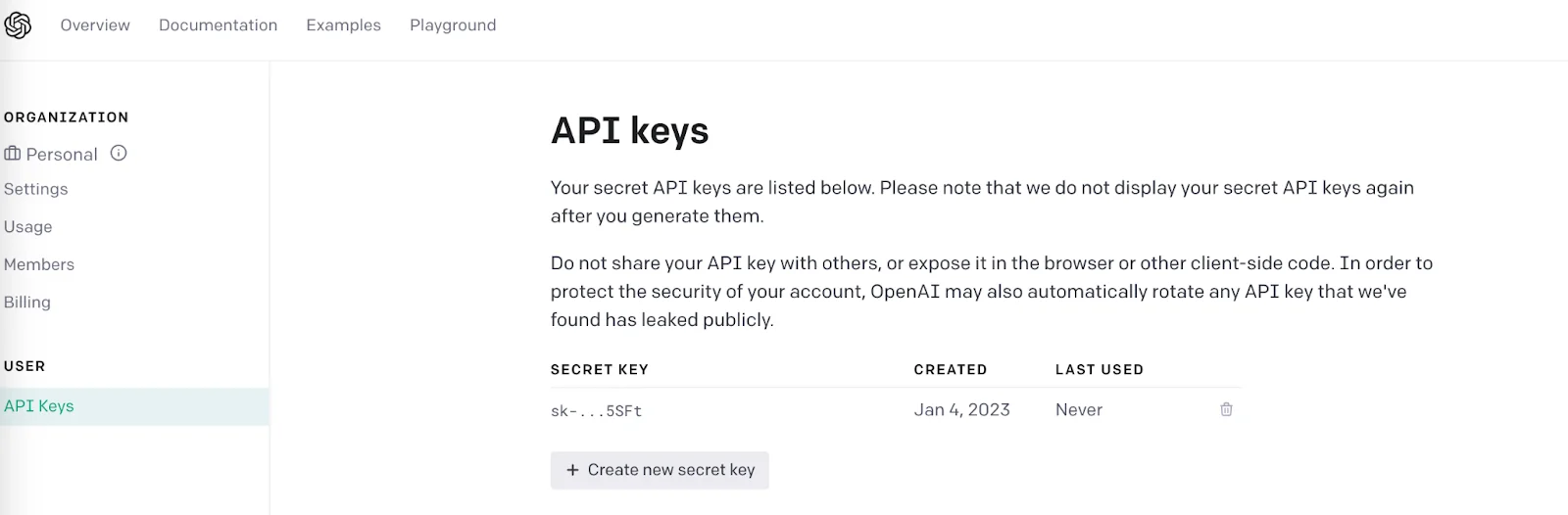
The Python application will need to have access to this key, so we are going to make a .env file where the API key can safely be stored in the same folder SMS_ChatBot. The application will be able to import this key. :
OPENAI_API_KEY=
Make sure that the OPENAI_API_KEY is safe and that you don't expose your .env file in a public location such as GitHub.
Now, your Flask app will need to be visible from the web so Twilio can send requests to it. ngrok lets you do this. With ngrok installed, run ngrok http 5000 in a new terminal tab in the directory your code is in.
You should see the screen above. Grab that ngrok Forwarding URL to configure your Twilio number: select your Twilio number under Active Numbers in your Twilio console, scroll to the Messaging section, and then modify the phone number’s routing by pasting the ngrok URL in the textbox corresponding to when A Message Comes In as shown below:
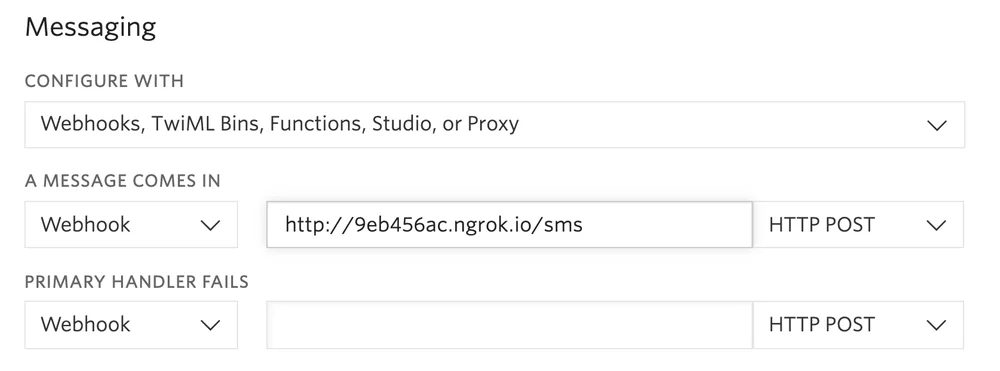
Click Save and now your Twilio Phone Number is configured so that it maps to your web application server running locally on your computer.
After completing the above process,we are ready to launch our script.
python main.py
if you are using python 3.X then run this command.
python3 main.py
Now take out your phone and text your Twilio Phone Number a question or prompt so that OpenAI can answer it or generate text!